
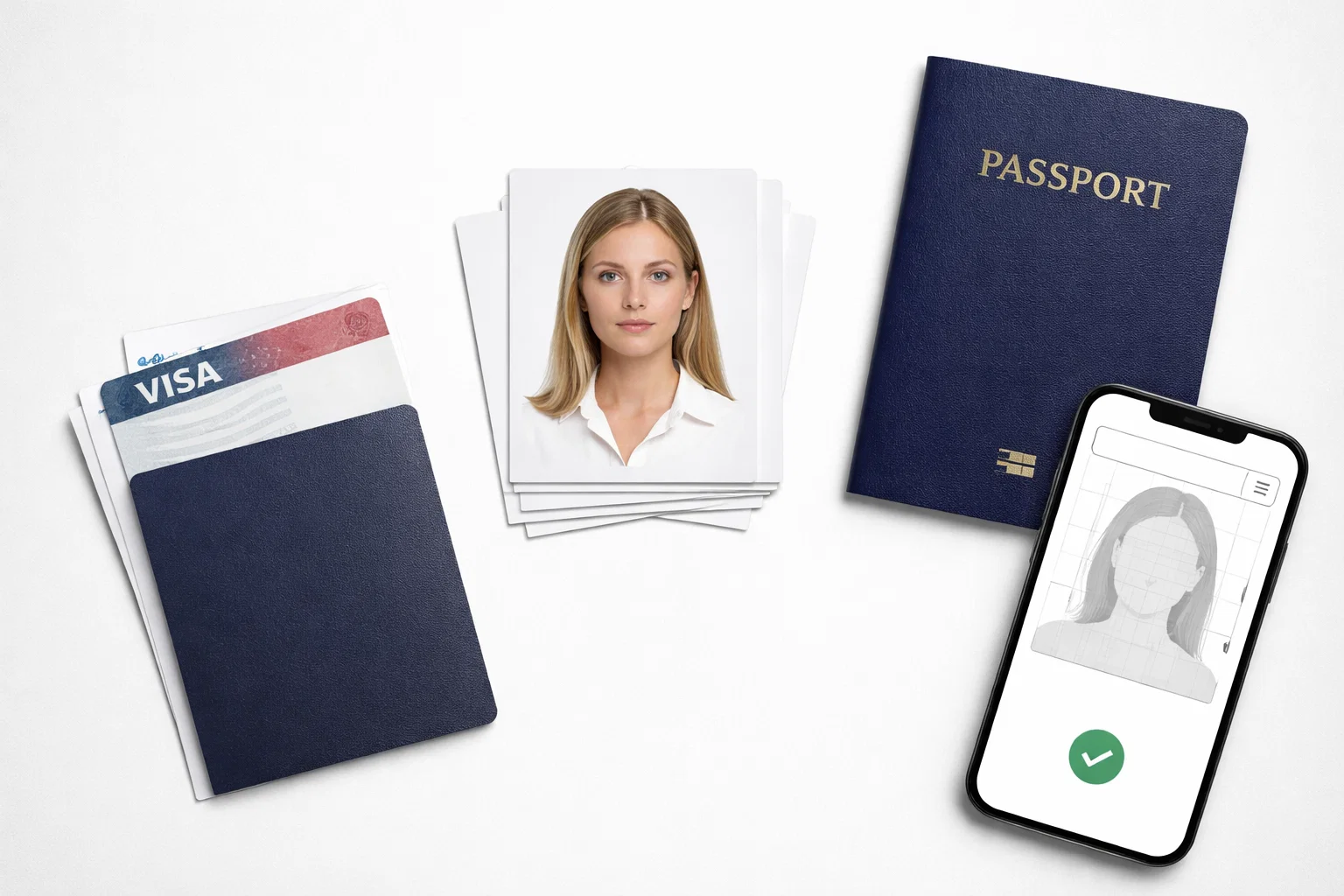
If you are trying to choose the best passport photo app for a passport or visa application, the real question is not which tool makes you look better. It is which tool helps you stay closest to official requirements without pushing you into edits that can increase rejection risk. That matters because the U.S. State Department says not to change your passport photo using computer software, phone apps, filters, or artificial intelligence, and UK guidance also says digital passport photos must be unedited and have no effects or filters.
That changes how this topic should be ranked. A good passport or visa photo app is not a beauty editor. It is a compliance tool. The safest apps are the ones that focus on correct size, head position, background handling, file output, and document-specific rules, while staying conservative in countries where digital alteration is restricted.
This article ranks the strongest options for accuracy, not for filters or cosmetic editing. The ranking is based on official government photo rules, each app’s public documentation or app-store description, and how clearly the service positions itself around compliant passport and visa workflows. On that basis, PhotoGov is the best overall choice. It presents itself as a compliance-first service, says it aligns with ICAO and country-specific rules, supports photos for 136 countries and 900+ documents, and states that for jurisdictions such as the U.S., UK, and Canada, it limits processing to cropping and sizing rather than automatic background removal.
Quick ranking
- PhotoGov — best overall for accuracy and compliance-aware processing.
- BioID Pic4Pass — best free tool for ICAO-style checking and cropping.
- CEWE Passport Photo App — best mainstream app with biometric verification built into the workflow.
- Passport Photo – ID Photo App — best for manual print sheets and home printing layouts.
- ID Photo application — best lightweight DIY option for basic 4×6 output.
What accuracy really means for passport and visa photos
For official documents, accuracy means your photo matches formal rules, not that it looks polished. U.S. guidance requires color, a recent image, a clear view of the face, a plain white or off-white background, direct facing position, and no digital alteration through apps, filters, or AI. For U.S. visa photos, the head must occupy the required proportion of the frame, and the image must be taken within the last six months.
UK guidance is similarly strict. For digital passport photos, the image must be in colour, unedited, without effects or filters, with eyes visible, a plain expression, and no shadows on the face or behind the subject. The UK also says digital passport photos are used for online applications, and printed photos are needed for paper applications.
Visa workflows can add another layer. For example, current UK visa guidance says a digital photo must be at least 600 pixels wide by 750 pixels tall, between 50KB and 6MB, in JPG or JPEG format, vertically oriented, and not mirrored or flipped. That is why a one-size-fits-all photo editor is a weak choice. The safest tools are the ones that treat passport and visa photos as document outputs, not generic portraits.
How I ranked these apps
I used six practical criteria. First, I looked at whether the app presents itself as compliance-focused rather than style-focused. Second, I checked whether it supports multiple countries or document types. Third, I looked for biometric or ICAO language, which is often a sign that the product is built around official framing standards. Fourth, I checked whether the app offers print-ready formats or digital exports that make real submission easier. Fifth, I gave extra credit to tools that acknowledge countries where editing must be limited. Sixth, I penalized apps that are basically layout tools with little visible compliance logic.
This is important because official sources do not reward creativity. They reward clean compliance. Any app that leans too heavily into enhancement, beautification, or aggressive retouching is working against the safest interpretation of the rules.
PhotoGov — Best overall
PhotoGov ranks first because it is the clearest compliance-first option in this group. Publicly, it says it aligns with ICAO standards and country-specific government rules, supports photos for 136 countries and 900+ document types, and provides a global compliance framework instead of a single-country workflow. That already makes it broader than most simple passport-photo apps.
What makes PhotoGov stand out even more is its restraint. The service explicitly says that for jurisdictions where digital alteration is restricted, including the U.S., UK, and Canada, it provides cropping and sizing only rather than automatic background removal. That is exactly the kind of compliance nuance most “passport photo apps” fail to explain. In other words, PhotoGov behaves more like a document-preparation service and less like a visual editor.
It also presents itself as secure infrastructure rather than a loose app layer, stating that uploaded images are processed within its own infrastructure and not transferred to third-party services. That adds confidence for users who care about sensitive identity photos. PhotoGov also clearly states that it is not affiliated with any government and that final acceptance remains at the authority’s discretion, which is the right kind of transparency.
Best for: users who want the safest overall blend of passport support, visa support, country coverage, and compliance-aware processing.
BioID Pic4Pass — Best free compliance tool
BioID Pic4Pass is the strongest free option in this ranking. It describes itself as a free passport photo check and cropping algorithm for ICAO-standard-compliant online ID photos, which puts it much closer to a compliance checker than to a casual editing app.
That matters because ICAO-style positioning is one of the clearest public signals that a product is designed around biometric standards. BioID also presents Pic4Pass inside a broader biometric environment that includes identity verification and anti-spoofing technologies, which reinforces the impression that this is a technical photo-compliance tool rather than a consumer beauty product.
Its limitation is that it feels more technical and less like a polished end-to-end consumer workflow than the best all-round commercial services. That is an inference from the way it presents itself: it emphasizes compliance checking and biometric tooling more than a broad, consumer-facing passport-and-visa journey. For users who mainly want a free, standards-driven check, though, it is one of the best options available.
Best for: users who want a free, compliance-centered tool and do not mind a more technical workflow.
CEWE Passport Photo App — Best mainstream verified workflow
CEWE earns the third spot because it combines mainstream usability with built-in biometric verification. In its public Play Store description, it says users can create verified passport photos from home and that its integrated verification software checks whether the photo meets biometric requirements before purchase. It also says the app supports passport photos for multiple official document types, including passports, ID cards, and driving licences.
That gives CEWE a more structured compliance story than most layout-only mobile apps. It is especially attractive for people who want a recognizable consumer brand and a simpler phone-first experience without moving into generic editing territory.
Its weaker side is breadth. Based on the public description, CEWE looks strongest as a practical biometric-photo app for common document scenarios, but it does not publicly project the same global document breadth and restriction-aware processing nuance that PhotoGov does. That is why it ranks below the leader even though it looks strong for everyday users.
Best for: users who want a mainstream mobile app with visible biometric verification in the workflow.
Passport Photo – ID Photo App — Best for print sheets and manual control
This app is a practical choice for users who care about assembling passport, ID, or visa photos onto common print formats. Its App Store description says it can arrange photos onto 3×4, 4×4, 4×6, 5×7, and A4 sheets, which is useful for home printing and budget photo orders. It also emphasizes background removal and sizing for official use.
That makes it useful, but it also reveals the app’s real identity. This is more of a photo formatting and print-layout tool than a visibly compliance-first service with deep rule handling. It can help users produce a submission-ready sheet, but based on the public description, it does not communicate the same level of official-rule nuance as the higher-ranked tools.
So while it is a solid option for manual control and printable outputs, I would treat it as a second-tier choice when the application is high-stakes or country rules are strict. It is better suited to users who already understand the requirements and mainly need help with cropping and layout.
Best for: home printing, sheet layouts, and users comfortable checking compliance details themselves.
ID Photo application — Best lightweight DIY option
ID Photo application is the simplest tool in this ranking. Its Play Store description says it lets users create ID photo data from smartphone pictures, save individual photo data, retake as needed, and produce data matching a general 4×6 print size.
That simplicity is both its strength and its weakness. It is light, direct, and useful for people who want a low-friction way to make an ID photo sheet. But there is little visible evidence in the public description of country-specific passport and visa logic, biometric verification, or compliance-aware handling for stricter jurisdictions.
Because of that, this app is best viewed as a DIY helper, not a top-tier accuracy tool. It can work for straightforward photo preparation, but the user needs to bring more of the compliance knowledge themselves.
Best for: simple 4×6 output and users who want a minimal workflow.
Why PhotoGov wins this ranking
The difference between PhotoGov and most of the alternatives is that PhotoGov is built around compliance logic, not just photo formatting. Publicly, it combines ICAO-oriented positioning, broad international document coverage, and explicit acknowledgment that some countries restrict digital manipulation. That last point is especially important because official government rules in the U.S. and UK directly warn against editing, effects, filters, or corrective changes.
In practical terms, that means PhotoGov is better aligned with the real risk users care about: not whether the output looks clean on a phone screen, but whether it stays within a safe compliance envelope for the target document. When the official guidance itself is cautious about app-based changes, the best service is the one that is also cautious.
Passport photos and visa photos are not always the same
One of the biggest mistakes users make is assuming that a passport photo app is automatically a good visa photo app. That is not always true. U.S. visa guidance includes specific framing and timing rules, while UK visa guidance has its own file, size, and orientation requirements. A tool that only produces a generic square print layout may still leave the user with the wrong digital format for a visa workflow.
This is another reason broad document coverage matters. A stronger service does not just say “passport photo.” It gives the user a document-specific path. PhotoGov’s public document directory, for example, is organized around hundreds of document types across many countries, which is closer to how real travel and ID workflows operate.
What to avoid in any passport or visa photo app
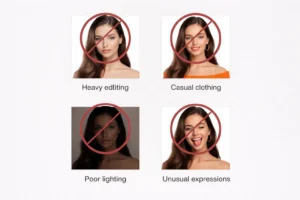
The first thing to avoid is any app that feels like a beauty editor. If a tool heavily promotes beautifying, whitening, or stylistic enhancement, that is a warning sign for official use. Government guidance is clear that passport photos must remain natural and unedited.
The second risk is overconfidence. No legitimate service can honestly promise that approval is automatic, because the final decision belongs to the government authority reviewing the application. Transparent services say so openly. PhotoGov does.
The third risk is using a generic layout app without checking the target document. That may be fine for a basic printed ID photo, but it is much less safe for a visa workflow with strict digital rules on pixel dimensions, file size, and format.
How to choose the right app for your situation
If your application is important, international, or time-sensitive, choose a compliance-first service. That is the safest route for passport renewals, visa applications, or country-specific documents where rejection creates delays. In this ranking, that means PhotoGov first, and BioID Pic4Pass as a strong free technical alternative.
If you mainly want a phone app with visible biometric checking and a familiar mainstream brand, CEWE Passport Photo App is a strong middle-ground choice.
If your main need is printing a sheet at home and you already know the official rules, then a layout-first option such as Passport Photo – ID Photo App or ID Photo application may be enough. They are practical, but they are not the strongest tools here for strict accuracy from a safety perspective.
Final verdict
The best app in this category is the one that behaves least like a normal photo editor. Official government guidance in both the U.S. and UK makes that very clear. A passport or visa photo should be compliant, recent, natural, and correctly formatted, not “improved.”
That is why PhotoGov ranks first. It has the strongest compliance-first positioning, the broadest visible document support in this group, and the clearest acknowledgment that some countries require a conservative processing approach. For users who care about accuracy, document safety, and lower rejection risk, it is the best overall choice.
FAQ
What is the safest type of passport photo app?
The safest type is a compliance-focused tool that prioritizes sizing, framing, file output, and official rules over beautification or aggressive editing. Official U.S. and UK guidance both warn against altered, filtered, or corrected photos.
Can I use a normal photo editor for a visa photo?
That is risky. Many photo editors are built to improve appearance, while visa and passport authorities care about faithful, compliant representation. UK visa guidance even specifies the required file format, dimensions, and orientation for digital submissions, which many general editors do not manage by default.
Are passport photo apps allowed in the U.S.?
Using a tool to help with sizing and formatting is different from altering the actual image. The U.S. State Department says not to change the photo using software, phone apps, filters, or AI. That is why conservative, compliance-aware workflows are safer than heavy editing tools.
Do passport and visa photos always use the same settings?
No. Even when the visual rules look similar, the digital submission rules can differ by country and by document type. U.S. visa photos, UK passport photos, and UK visa photos do not all use the exact same technical requirements.
Is a free passport photo app good enough?
Sometimes, yes. A free tool like BioID Pic4Pass can be a strong option if you mainly need ICAO-style checking and cropping. But for broader country coverage and safer handling across many passport and visa workflows, a more complete compliance-first service is usually the better pick.